How an enforcement case moves
A neighbor reports a shed too close to the lot line. Between that report and a closed file come a visit, a finding, a notice, an order, proof the order reached the right people, a deadline and sometimes a court. Chiban keeps one case for all of it and tells you what the town has to do next.
In the demo, Sam Clerk is the town's designated enforcement officer and holds the land use staff role. The screens below are Sam's.
The case list
Enforcement in the staff menu opens the list, newest case first.
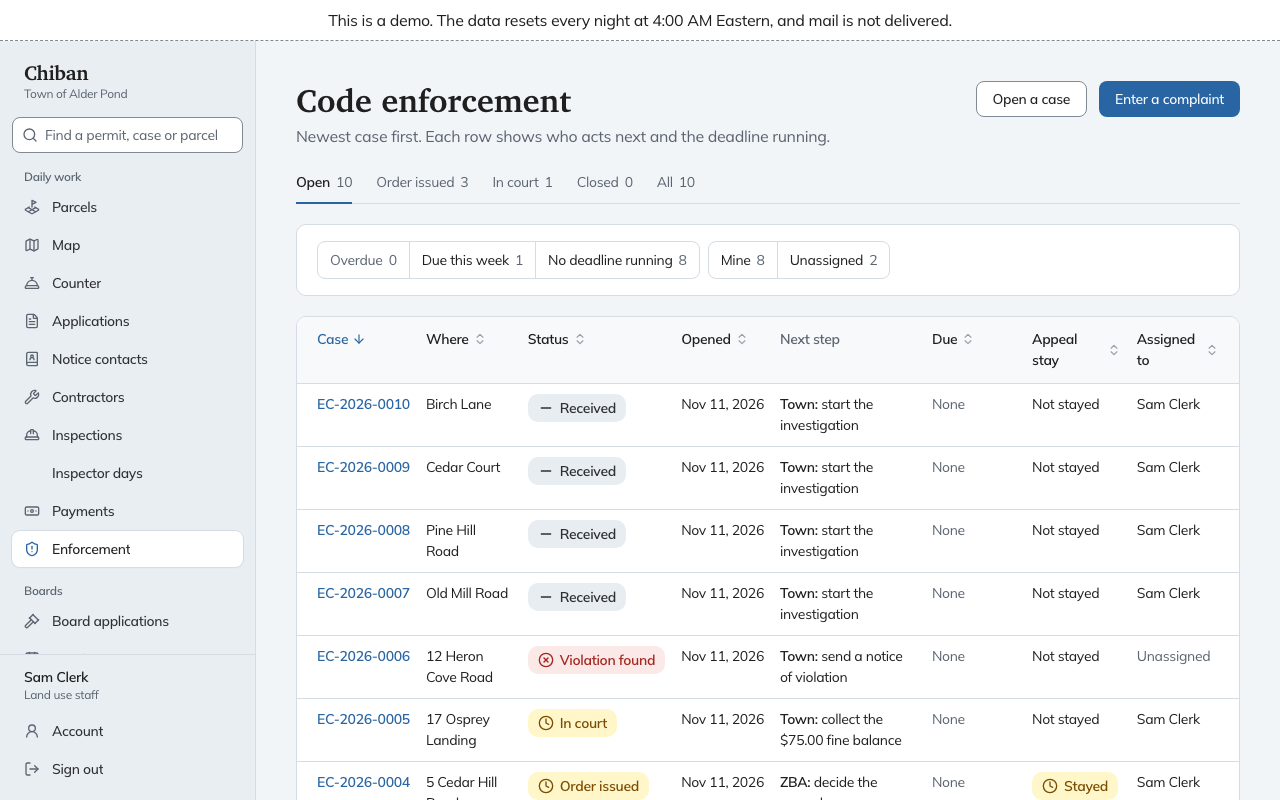
The tabs sort cases by stage: Open, Order issued, In court, Closed and All. The quick filters narrow by deadline (Overdue, Due this week, No deadline running) and by assignment (Mine, Unassigned). Each row shows the case number, the address, the status, when it was opened, the Next step with who has to take it, the Due date, whether an appeal has stayed the case, and who it is assigned to.
Read the Next step column first. "Town: serve Robin Renter" means the town has work to do. "ZBA: decide the appeal" means the case is waiting on someone else.
The stages
The strip at the top of a case shows which of these stages it is in.
| Stage | What it means |
|---|---|
| Received | A complaint or a staff member opened the case. No investigation has started. |
| Investigating | Staff are visiting the site and writing notes. |
| Violation found | At least one finding is on record. Notices and the order come next. |
| Order issued | A cease and desist order has been issued. Service, answers and the answer period happen here. |
| In court | The order was filed with the court clerk. |
| Resolved | The problem is fixed or the court matter is finished. |
| Closed | The file is done. |
A case can also end at No violation found when the investigation turns up nothing, and then it can only be closed.
Do this now, and Requirements
The top of every case has a Do this now card. It names the one thing to do next, and for most steps it holds the form to do it. When the case is waiting on someone else, the card says who and for what, for example Wait for the ZBA decision.
Under it, Requirements lists what has to be true before the next big step, with Done and Not done beside each line. Before an order it lists the finding, the notice sent, the notice received, the order drafted and the order issued. Before the town can ask the court to enforce, it lists service on each required person, the filing with the clerk, the end of the answer period, no answer received, and five days since the filing. Each Not done line says why, and links to the form.
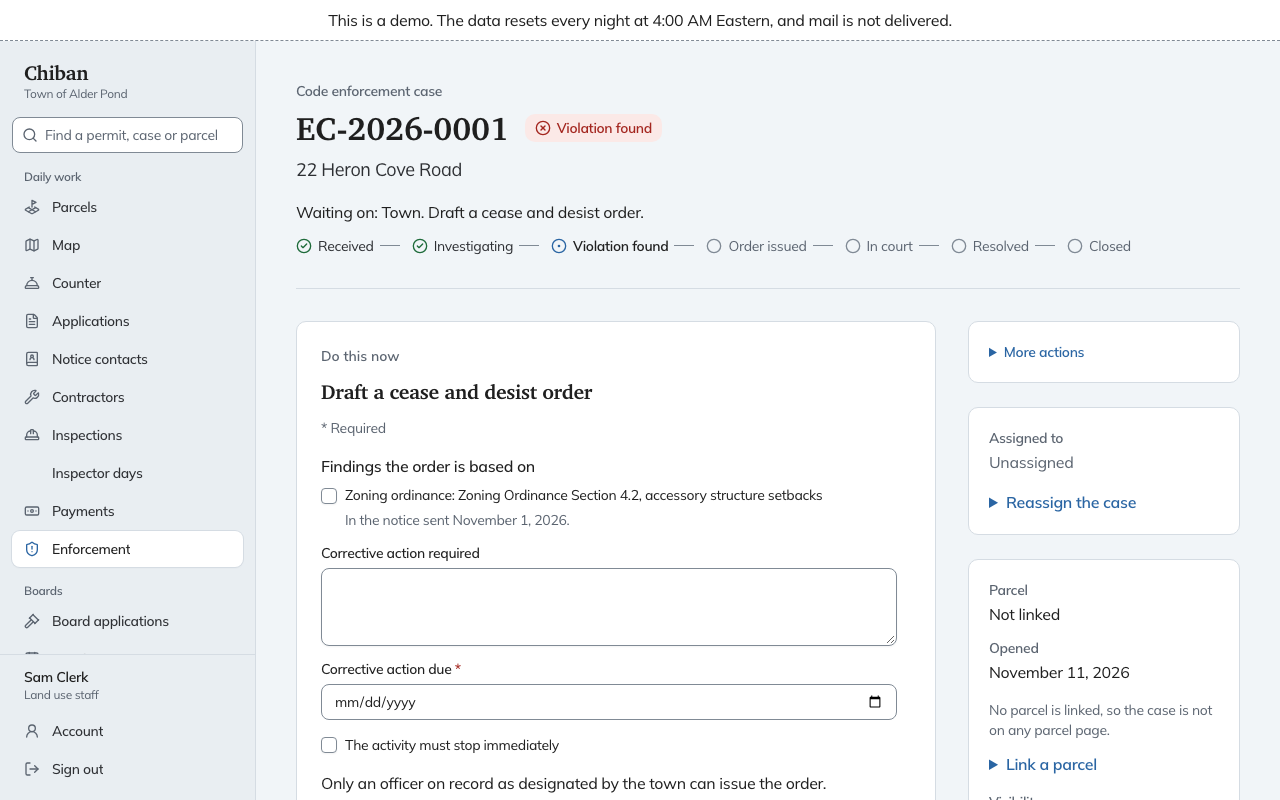
The rest of the case is a set of sections you can jump to from On this page: findings and notices, orders, documents and photos, complaints, notes, appeals, fines and town counsel.
Who can do what
| Job | Who |
|---|---|
| Open cases, record findings and notes, send notices | Land use staff and inspectors |
| Issue a cease and desist order | A land use staff member or inspector who is on record as a designated enforcement officer |
| Record service, answers, court steps and appeals | Land use staff and inspectors |
| Refer a case to town counsel and record what counsel reports | Land use staff and administrators |
| Record a fine a court imposed | Administrators and finance staff |
| Record a payment toward a fine | Land use staff and finance staff |
Designated officers are listed under Settings, Enforcement officers, which an administrator keeps. The role of each person is in how the staff roles fit together.
What an inspector sees
An inspector who is not on the land use staff, and who is not the case's assignee, sees a shorter page meant for the field: the Do this now card, Add a photo, Add a note, service forms, and the case history underneath. The assignment, visibility and requirements panels are tucked under Case facts and more actions or left out. Once a case is assigned to the inspector, the full page appears.
Permit inspections are separate
A failed permit inspection does not open a case, and an enforcement finding does not appear on the inspection board. A finding carries an inspection date, but only as a date you type. See the inspector guides for permit inspections.