Working your day
You open Chiban in the morning to find out where you are going and who to call. My day answers that. It lists your inspections for one date, in time order, and puts anything you owe a result on at the top.
If you hold the inspector role and no other, the Inspections entry in the menu opens My day directly. The staff home page, Today, also shows how many results you owe and links to the next days that have inspections.
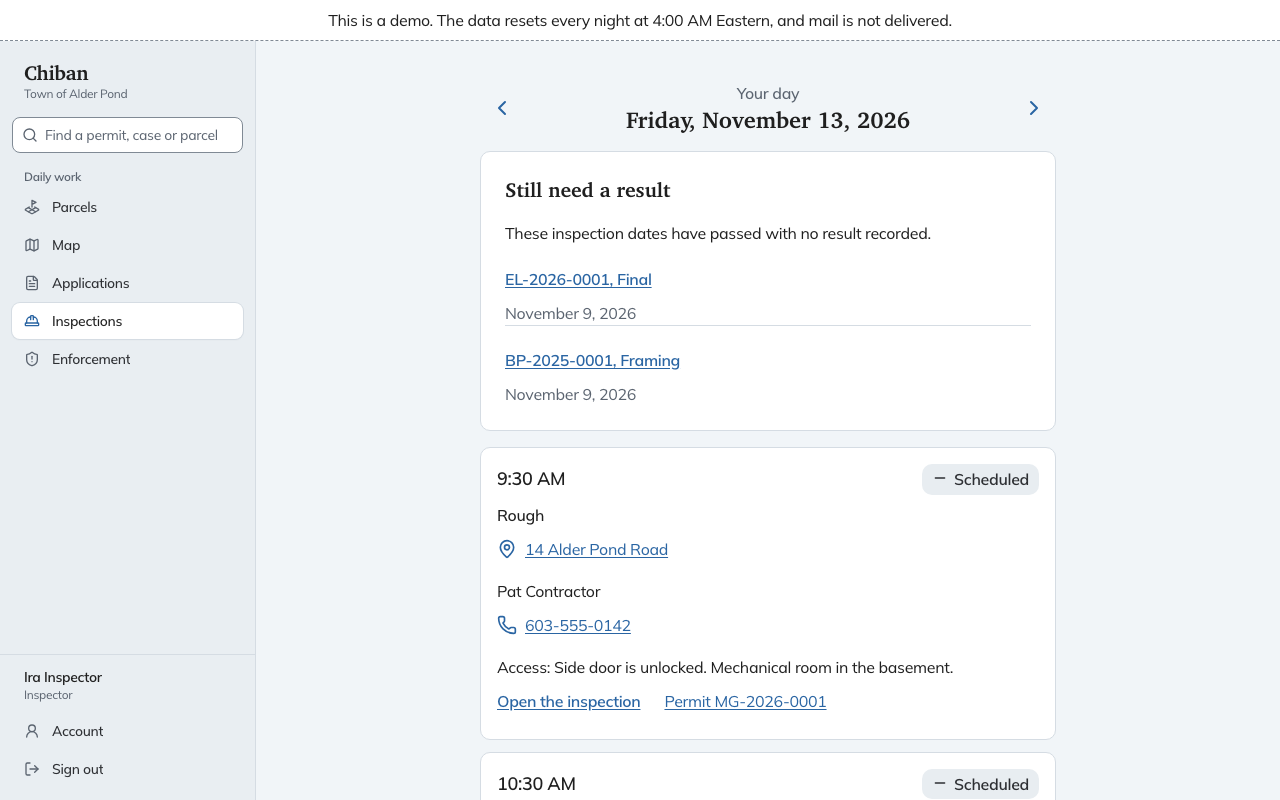
What a stop shows
Each stop is one card:
- The start time and the status: Scheduled, Passed, Failed, or Result owed once the date has gone by.
- The inspection type, marked Reinspection when it follows a failure.
- The site address. Choosing it opens a map.
- The contact's name and phone number. On a phone, choosing the number starts a call.
- Access notes the requester left, such as a gate code or a dog in the yard.
- A Last time note on a reinspection, with what you wrote when the first inspection failed.
- Record result for a stop that is due or owed, Open the inspection for one still ahead, or See the result for one already recorded. Permit opens the permit itself.
Use the arrows beside the date to move to the previous or next day. If you land on a day with nothing booked, the page offers a link to the next day that has inspections. When nothing is booked ahead at all, it links to the waiting requests on the schedule board.
Still need a result
The Still need a result list sits above the stops. It holds your inspections whose date has passed with no result recorded, with the date of each. Choose one to open it and record the result. See recording a result.
The staff home page counts the same list as Still need a result. A town-wide view of everything owed, across all inspectors, is on the schedule board. See scheduling inspections.
On a phone
On a narrow screen the cards stack in one column, the buttons are large enough to hit with a thumb, and the phone numbers and addresses are links.
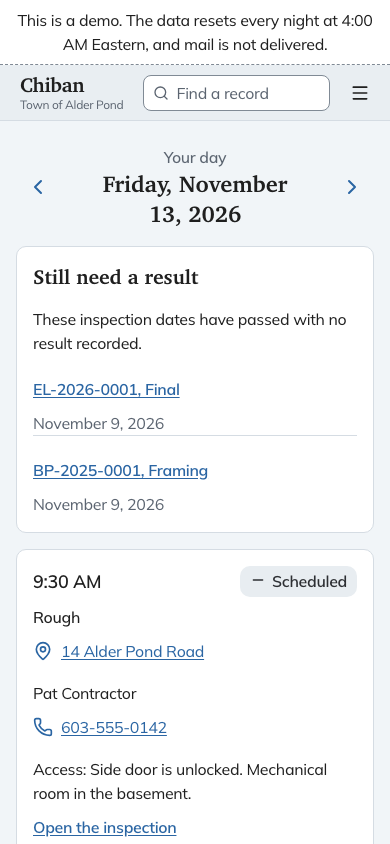
The photo control on an inspection opens the phone's camera. See recording a result.
Seeing another inspector's day
A person who holds both the land use staff and inspector roles, such as the building official, sees an Inspector list at the top of My day. Choose a name to see that inspector's day. Staff who are not inspectors are asked to pick an inspector first.