Managing the board roster
The roster is the list of people seated on each board, with their role and the dates of their term. This page is for the board secretary and planning and zoning staff. Chiban uses the roster in three places:
- Packets go to the members seated on the day you send them.
- Votes can only be recorded for members whose term covers the date of the vote.
- A member can open the meetings and packets of their own board only while their term runs.
Adding members and ending their terms needs the permission to manage board members, which land use staff and administrators have.
The roster page
Open Boards, then Board members. The page lists members by board and then by name, with their email, role, term and status. Active shows the members seated today and Ended shows past members. Select a column heading to sort.
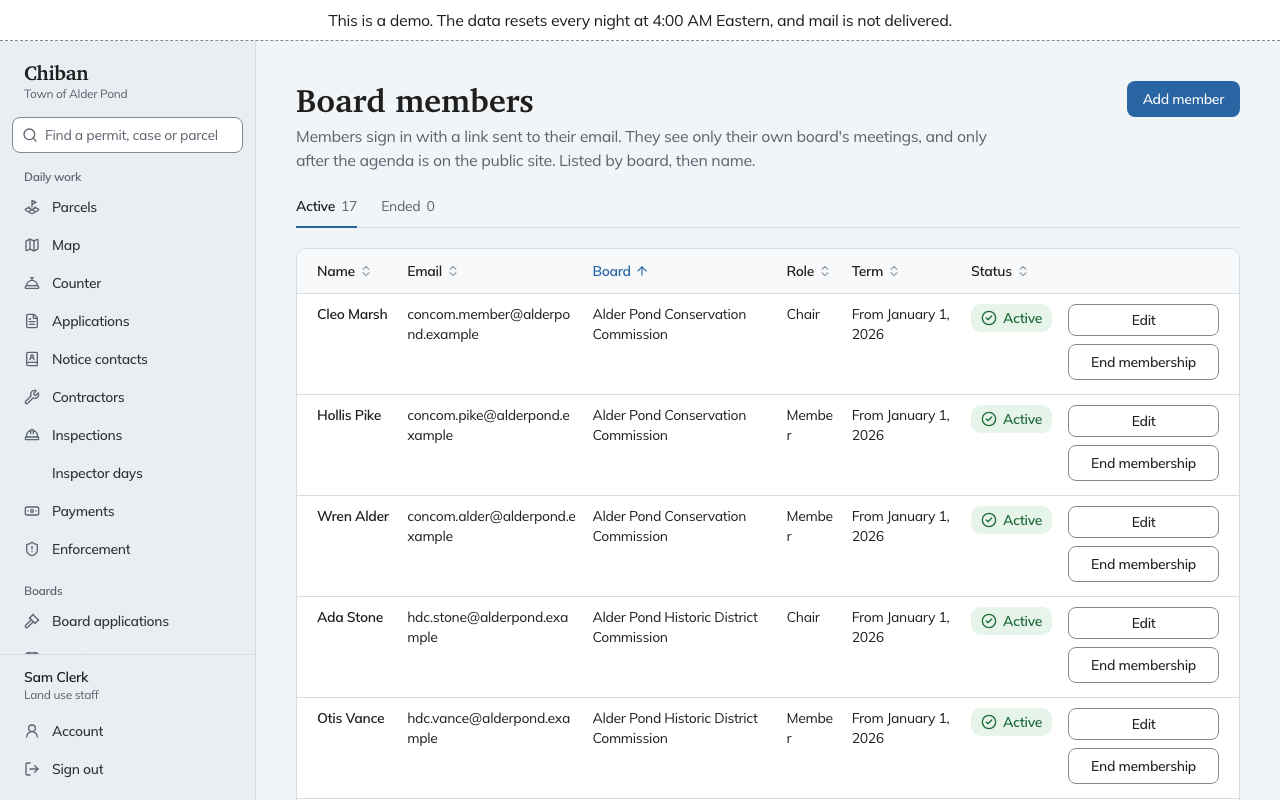
Add a member
- Select Add member.
- Enter the member's Name and Email address.
- Choose the Board.
- Choose the Role on the board: Member, Chair, Vice chair, Alternate or Clerk.
- Enter the date the Term starts. It starts as today.
- Enter the date the Term ends, or leave it blank if there is no end date.
- Select Add member.
Chiban emails the new member that they were added to the board and how to sign in. Board members sign in with a link sent to their email address, so they need no password, and the message says where to go. If the email cannot be sent, the record is still saved. Check the address, then use Edit to correct it.
A person who sits on two boards has one account. Adding someone with an email address that already belongs to a member adds them to the second board and leaves their name as it was. A person who is a member of staff cannot also be a board member under the same address, and Chiban says "That email belongs to a staff account. Board members need their own account."
Change a member
Select Edit on the member's row. You can change any of the fields above, including the board, the role and the term dates. A new name or email applies to every board the person sits on. Chiban refuses an email that another person already uses, and a term that ends before it starts.
Edit also covers a change of role, a renewed term, and an end date set in advance.
End a membership
Select End membership on the member's row and confirm. The member is no longer seated on that board as of yesterday, so they no longer get new packets and can no longer open the board's meetings. They move to the Ended tab. A membership that has already ended, or one that has not started yet, cannot be ended this way. Use Edit to change its dates.
What the roster does to a decision
When you record a decision, every name in How each member voted is checked against the roster for the date of the vote. A member who was not seated that day cannot vote, and an alternate or clerk counts as seated like any other role. If a vote is refused for that reason, correct the roster. See recording a decision.
What the roster does to packets
When you send a packet, it goes to the members who are seated that day. A member added afterwards does not get it automatically. The Send step of the packet then offers to send it to the members who do not have it yet. See board packets.