Legal holds
A legal hold keeps records from being disposed of, whatever the retention schedule says. Place one when litigation, a dispute or a records request means something must be kept. Administrators and records custodians can place and release holds.
What a hold covers
A hold on a project, an application or a document blocks disposal of everything under it. A hold also protects a record already in a proposed batch: when the batch is approved, that record is skipped and marked Skipped: a legal hold was placed. A document under a hold shows a Legal hold label in its record's document list.
Place a hold
- Open Legal holds and choose Place a hold.
- Under Hold on, choose Project, Application or Document.
- Enter the Application number, project title, or document title. Use the application number when you can. If more than one record has the same name, Chiban asks for the application number. A document that has already been disposed of cannot be held.
- Give a Reason (at least 10 characters) and choose Place hold.
An application's own page has a Place a legal hold option under Records, for the same job.
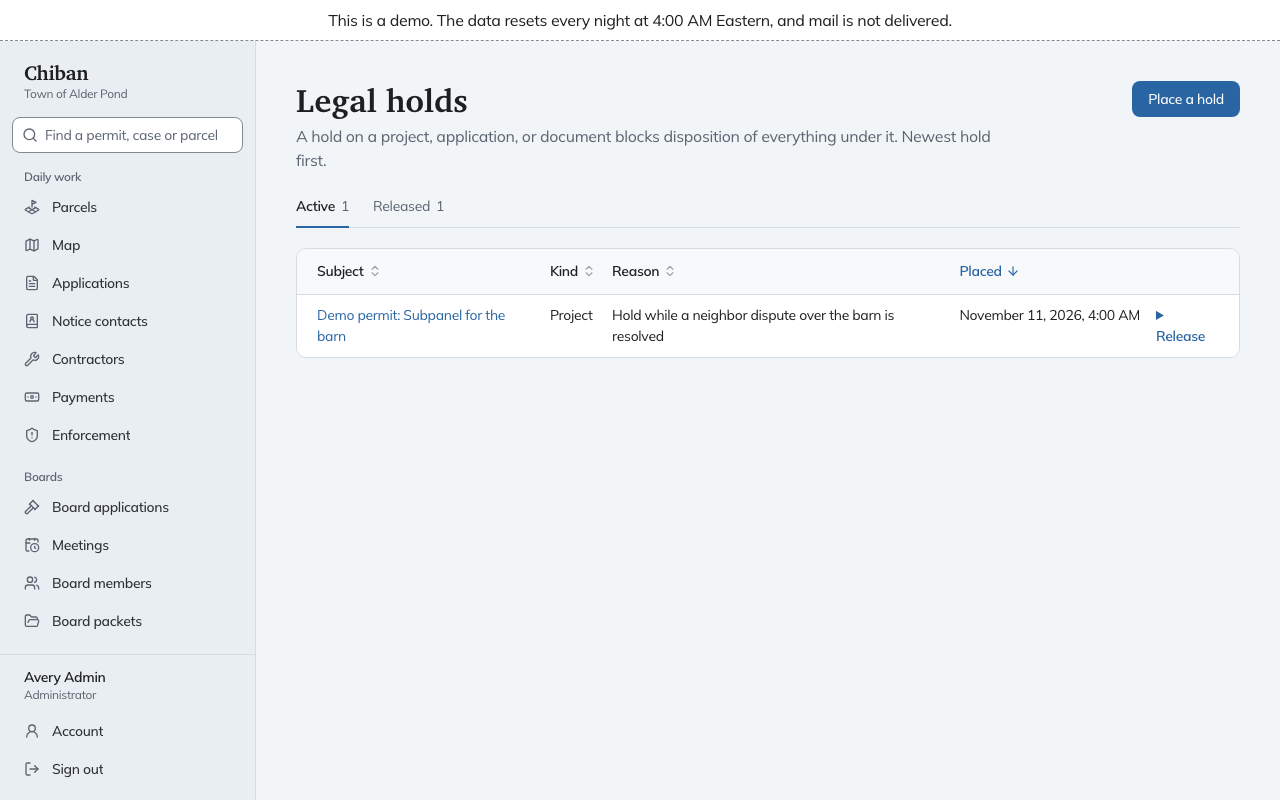
Holds on Right-to-Know requests and enforcement cases appear in the list when they exist, but the Place a hold dialog offers only projects, applications and documents.
Review and release holds
The Active and Released tabs list holds newest first, with each one's subject, kind, reason and placement date.
To release one, open Release on its row, enter a Release reason (at least 10 characters) and choose Release hold, then confirm. The row moves to Released with the date and your reason. The records are no longer protected by that hold. If another hold still covers a record, that hold keeps it, and the Retention page shows the count when a record has more than one.