Retention and disposal
The retention schedule says how long the town keeps each kind of record, and Chiban applies it for you. Here you will read the Retention list, record the events that start a clock, and propose, approve and review disposal.
How the schedule works
Every document and application snapshot belongs to a record series, such as "Complaints: until the appeal period has expired". The series and its legal citation are shown next to each record. The series comes from the state pack, so the town does not edit the schedule in Chiban. A record is placed in a series when it is filed, by default from the permit type, or by your choice when you upload a parcel file. Chiban has no screen to move it to a different series afterward.
A series follows one of three rules:
- Permanent. The record is never disposed of. Permanent records do not appear on the Retention list.
- A fixed number of years from the record date.
- A number of years after an event, such as the building being removed. The record waits until the event is recorded.
Read the Retention list
Open Retention. The list is sorted by the earliest eligible date and has three tabs.
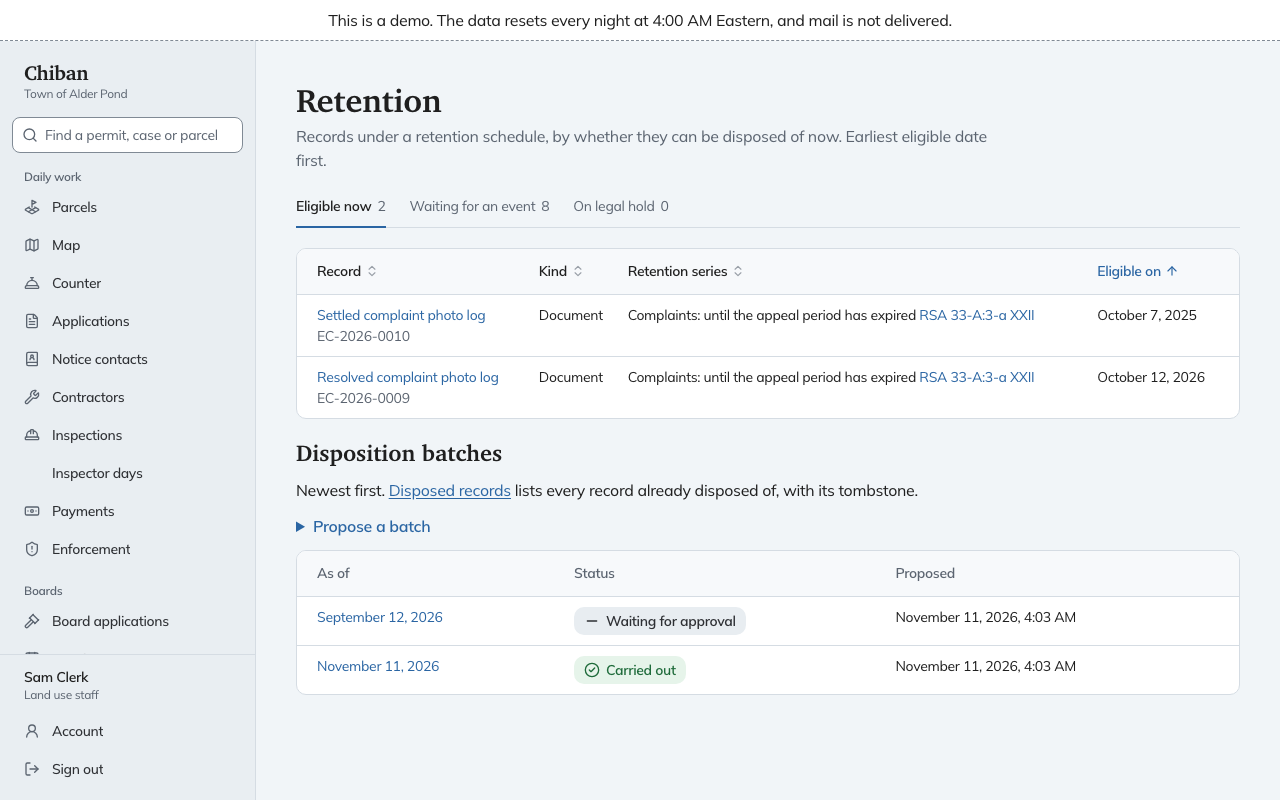
- Eligible now. These can be disposed of today.
- Waiting for an event. The clock has not started. Where Chiban records the event itself, such as a registration expiring or an application being withdrawn or denied, the row says so. Otherwise the row has Record event.
- On legal hold. Held records are listed here and cannot be disposed of until the hold is released. See Legal holds.
Record an event
Under Record event, choose What happened and enter the Date it happened. Complaint records wait for The appeal period ended. Projects wait for The building was removed or The septic system was replaced or removed. The date cannot be in the future. The retention clock then runs from that date. Land use staff, administrators and records custodians can record events.
Propose a batch
Disposal always happens in a batch, so a second person sees it before any record is deleted.
- On Retention, under Disposition batches, open Propose a batch.
- Set Records eligible on or before, which starts as today, and choose Propose batch.
If nothing is eligible on that date, Chiban says so and makes no batch. The batch appears in the table as Waiting for approval. Open it to see each record, its series, its eligible date and, after approval, what happened to it.
Approve a batch
Only a records custodian can approve, and not the person who proposed it. A batch you proposed shows "You proposed this batch, so another records custodian approves it." In a town with one custodian, a land use staff member proposes and the custodian approves.
Open the batch and choose Approve and carry out. Chiban warns that approving permanently deletes these records and that holds placed since the proposal are respected. Confirm with Approve and delete. The batch runs at once.
Each record in the batch gets a result: Disposed of, Skipped: a legal hold was placed or Skipped: no longer eligible. To stop a batch, use Cancel the batch. Nothing in a cancelled batch is disposed of, and you can propose a new one later.
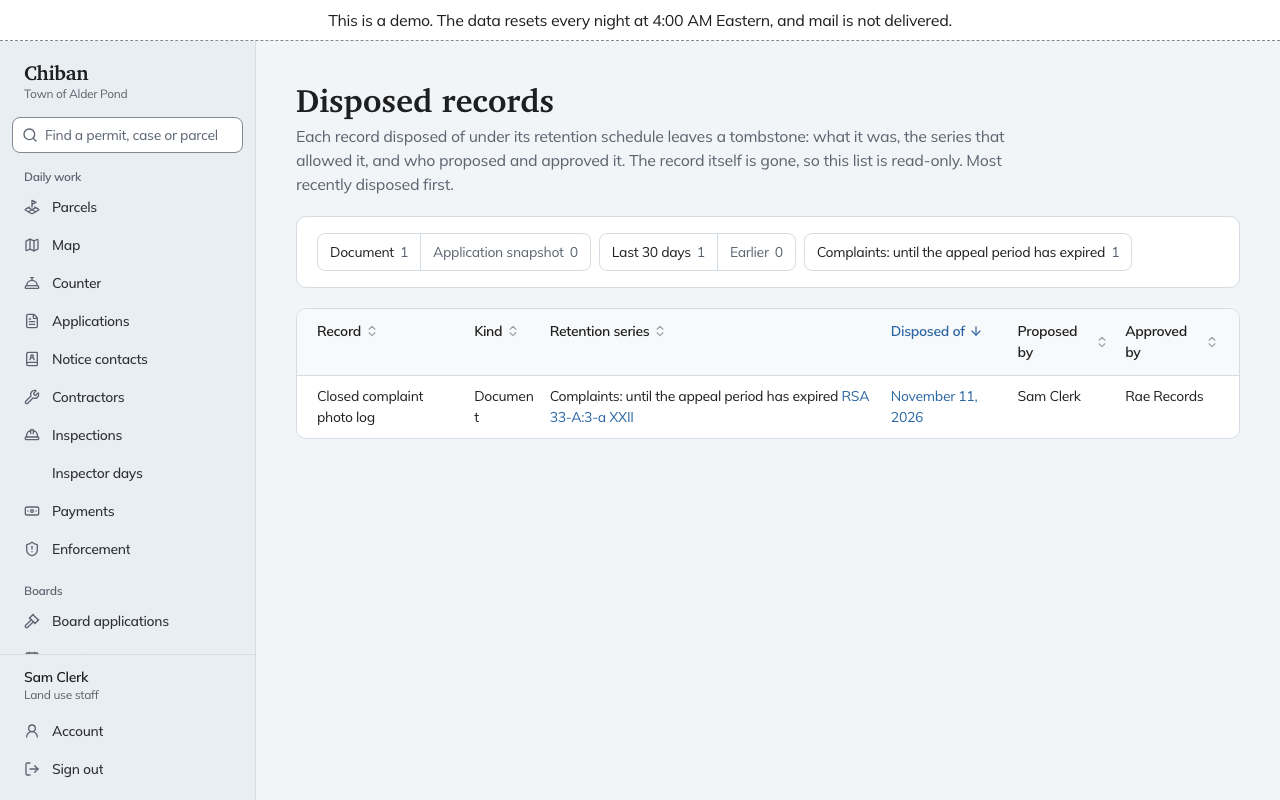
Disposed records
Disposed records, linked from the Retention page, lists everything already disposed of. The record is gone, but its tombstone stays: what it was, the series that allowed disposal, the date, who proposed it and who approved it. The list is read-only and its date links to the batch.