Recording a subdivision, merger or lot-line adjustment
Lots change: a subdivision turns one parcel into several, a merger turns several into one, and a lot-line adjustment moves a boundary and keeps the same parcels. A lineage event is how you tell Chiban which parcels came from which, so a permit issued in 1995 on the old lot still shows on the lots that exist now.
You need the permission to manage parcels, which administrators and land use staff have.
Starting an event
Open the parcel in the staff area and choose Record lineage event in the panel beside it. The form opens with that parcel already listed as a parent. The page title is Record lineage event.
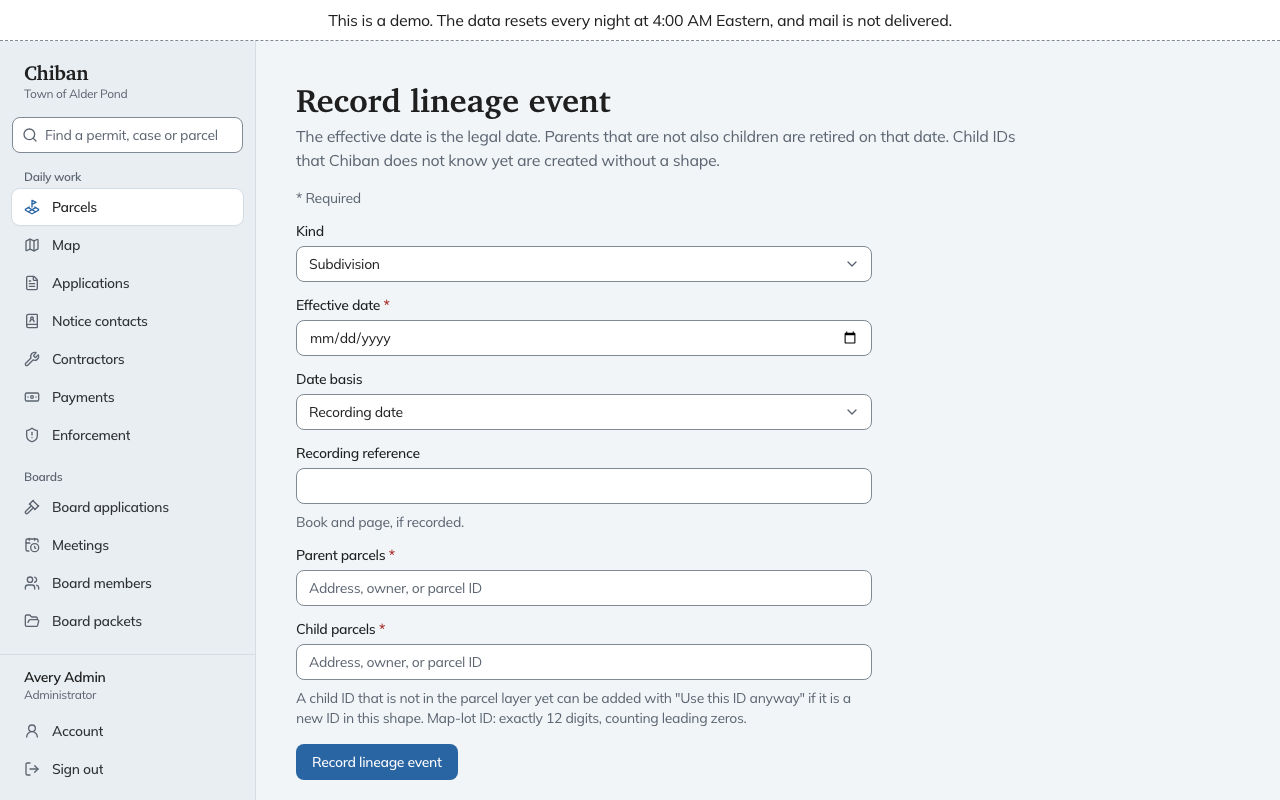
Filling it in
- Kind. Subdivision, Lot-line adjustment or Merge.
- Effective date. The legal date, which cannot be in the future.
- Date basis. Whether that date is the Recording date or the Approval date.
- Recording reference. Book and page, if it was recorded.
- Parent parcels. The parcels before the change.
- Child parcels. The parcels after it. A child ID Chiban does not know yet can be added with Use this ID anyway if it is a new ID in the town's format, and the hint under the box shows the shape.
Choose Record lineage event. Chiban checks that the numbers add up:
| Kind | Parents | Children |
|---|---|---|
| Subdivision | exactly one | two or more |
| Merge | two or more | exactly one |
| Lot-line adjustment | two or more | the same parcels, listed again |
It also refuses a parcel it cannot find, and a combination that would make a parcel its own ancestor.
What happens when you record it
- Every parent that is not also a child is retired on the effective date. A retired parcel takes no new applications, and an import that names its ID sets the row aside as belonging to a retired parcel.
- Child IDs Chiban did not know are created with no shape. The next parcel layer import that has them gives them one.
- Each parcel's page shows its parents and its children.
- Records filed under a retired parent show on its children's pages, grouped under the earlier parcel. They are not mixed in with the child's own records unless you choose to.
Carrying a record forward
A permit or approval usually belongs to one of the new lots, not all of them. On a child parcel's record list, a record from the parent has Carry forward to this parcel. Choose it when the record applies to this lot. From then on it is listed as one of the parcel's own records, marked with the parcel it came from. Chiban refuses to carry a record to a parcel that is not descended from the one the record sits on.
Chiban has no page for undoing an event, so check the parents, the children and the date before you choose Record lineage event.