The Applications list
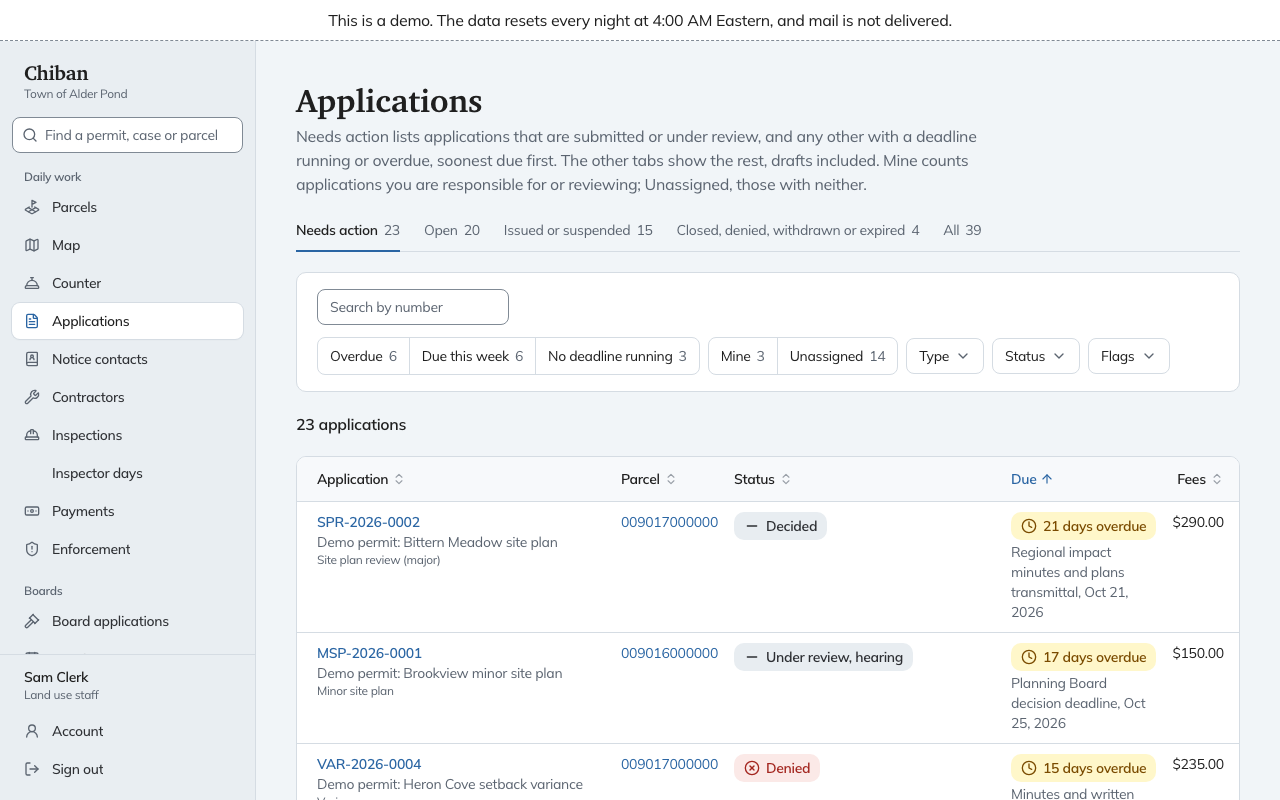
Applications is the office's work queue. Every application and permit in the town is on it, so open it when you need to know what to do next. Older bookmarks to a page called Queue now open this page.
The tabs
The tabs across the top group applications by where they are in their life, with a count on each.
| Tab | What it holds |
|---|---|
| Needs action | Applications that are submitted or under review, plus any other application with a deadline running or overdue. Soonest due comes first. This is the default. |
| Open | Drafts, submitted, under review and decided. |
| Issued or suspended | Permits in force and permits that are suspended. |
| Closed, denied, withdrawn or expired | Everything that has ended. |
| All | All of the above, drafts included. |
The filters
Under the tabs is a search box, Search by number, which matches part of an application number. Next to it are quick filters:
- Overdue, Due this week and No deadline running narrow by the nearest deadline.
- Mine and Unassigned narrow by responsibility. Mine counts applications you are responsible for or reviewing, and Unassigned counts those with neither.
- Type narrows to one or more application types.
- Status narrows to one or more stages, such as Under review.
- Flags picks out Fees due, Payment outcome unknown, Preservation incomplete and Reviews back.
A line under the filters says how many applications match, and Clear all removes the filters. The numbers on Today link straight here with a filter already set.
The columns
Each row is one application:
- Application shows the number, the project title and the type. A chip reading Payment outcome unknown or Preservation incomplete appears when either applies.
- Parcel links to the parcel page.
- Status shows the stage, and a more specific step where the permit type has one, for example Under review, hearing.
- Due shows the next deadline and which rule it comes from. Overdue deadlines say how many days late, and a late notice is listed under the deadline.
- Fees shows the amount still due. A dash means nothing is due.
- Reviewers lists each reviewer with a state such as Signed off or Pending. For land use staff, Unassigned in this column is a button.
- Responsible is the staff member who owns the application, or Nobody yet.
- Received is the date it was filed.
Click a column heading to sort by it. The default sort is Due.
Assign a reviewer from the list
Choose Unassigned in the Reviewers column. A box titled Assign a reviewer opens with the people who hold the reviewer role. Pick one and save. Assigning reviewers explains when to do this and what the reviewer receives.
Open an application
Choose the application number. The record is described in From intake to issued permit.