Following your application
Your applications is the page you land on after signing in. It lists every application filed under your name, sorted by what needs you.
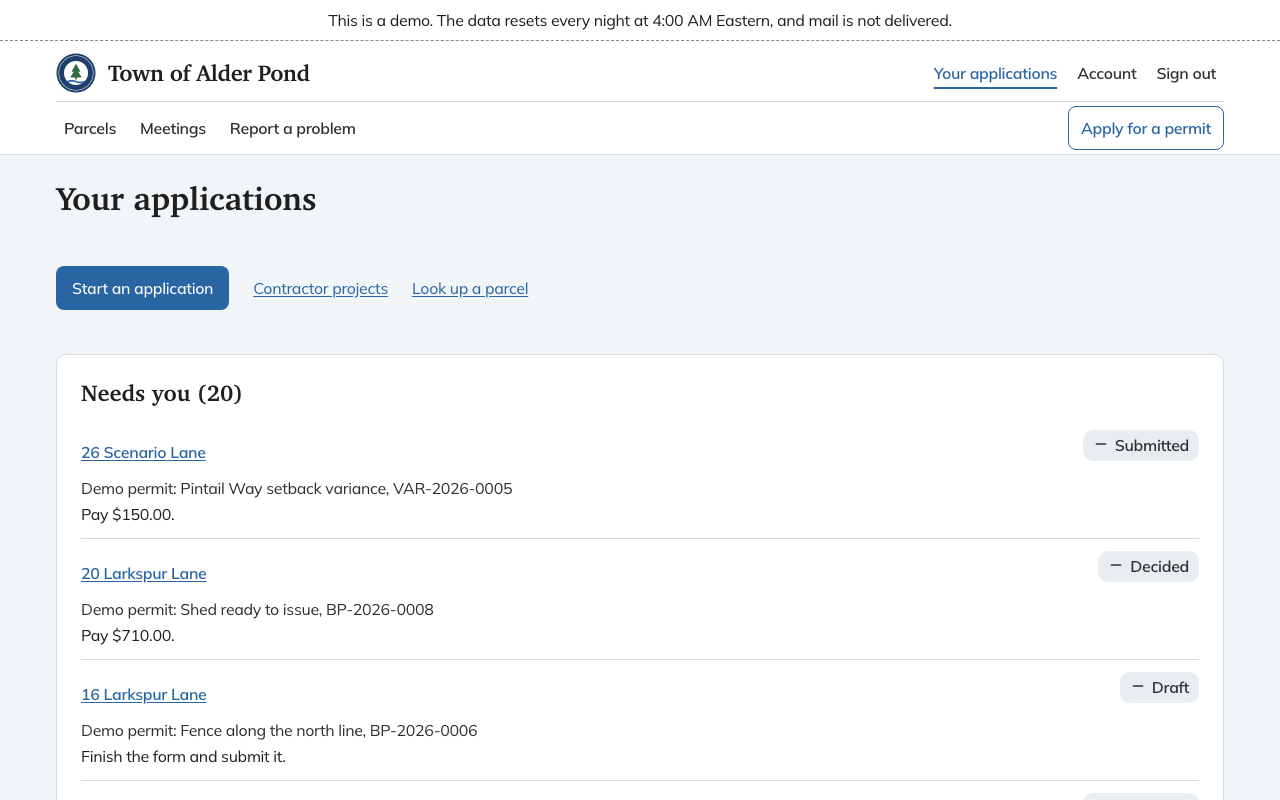
The list
Applications sit in three groups.
- Needs you. Something is waiting on you: finish a draft, pay a fee, add a document or ask for an inspection. Each row says which, for example "Pay $45.00" or "Finish the form and submit it."
- In progress. The town has it and you have nothing to do.
- Finished. Closed, denied, withdrawn or otherwise over. This group is folded away until you open it.
Each row shows the street address, the project name and the application number, a plain sentence about the next step, and a status. Choose the address to open the application. The page also has links to Contractor projects and Look up a parcel.
One application
The top of the page has the application's kind, its number, the parcel, a one-sentence summary and a strip of stages. Which stages show depends on the kind of application. A permit the building office can issue directly runs from Submitted through Issued to Inspections and Closed. A board application adds Review and Decided. The stage you are in is marked "current stage".
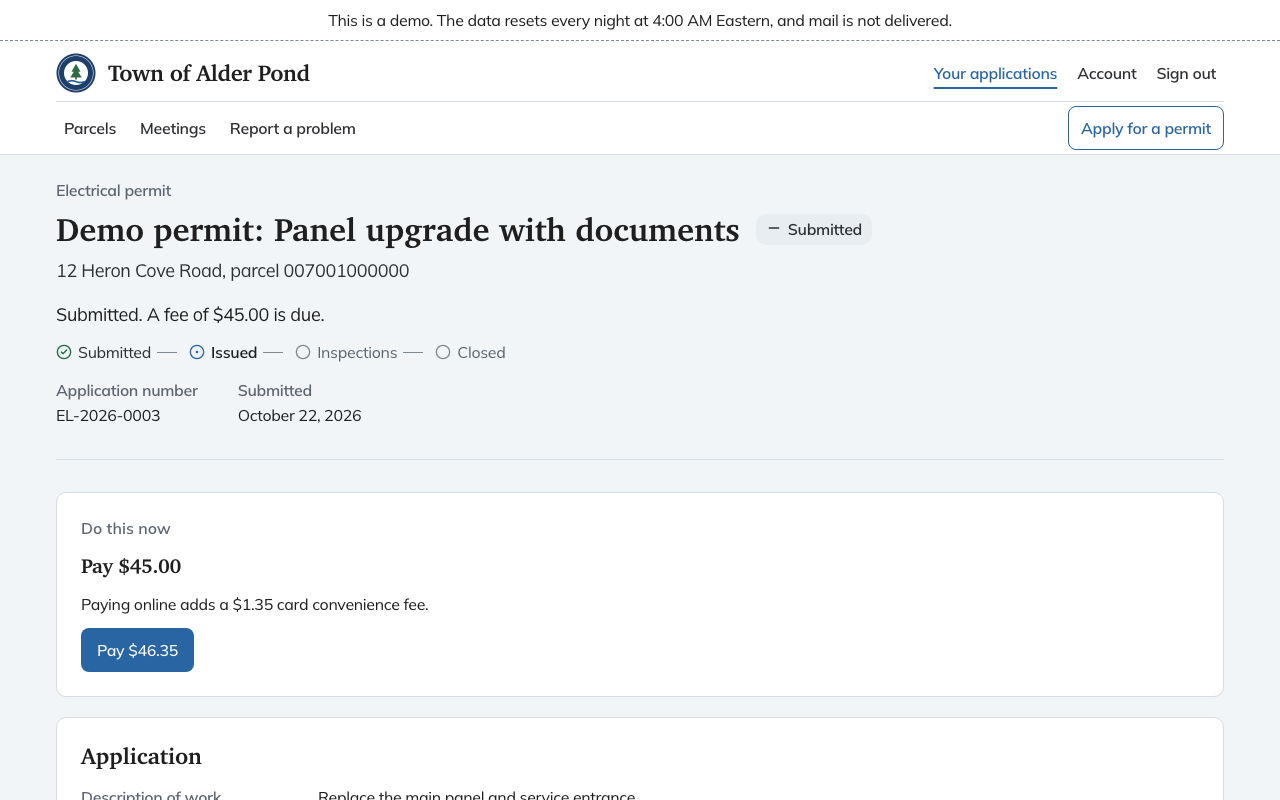
The summary sentence says where things stand. These are the ones you may see:
- "Not sent to the town yet." The application is still a draft.
- "Waiting on the town to review it." Nothing is needed from you.
- "Filed. Waiting on the town to accept it for the board." Board applications wait for the town to accept them before a hearing is set.
- "Waiting on the board. Hearing and decision dates appear below once they are set."
- "Approved. The town will issue the permit." or "Issued. Nothing is waiting on you."
- "Denied.", "Withdrawn.", "Expired." or "Suspended while an appeal is decided."
When the town owes a decision by a date, the summary adds "The town's decision is due" with the date. If the date has passed it says so and suggests you call the land use office.
Do this now
When Chiban knows the one thing you should do next, a Do this now box sits above everything else. It can say Pay, Add the missing documents, Check your answers and submit, or Request an inspection, with a button or link that goes straight there.
The rest of the page
- Application shows your answers. While the application is a draft, the same section is the form.
- Board hearing and decision appears for board applications once a hearing, a decision or a deadline exists. It lists them in plain sentences.
- Conditions lists conditions attached to an approval, each marked Open, Met or Waived.
- Documents holds what you filed, the checklist of what the town still wants and anything the town added for you under From the town. A document you replace keeps the older copies listed as earlier versions. Add more with Add other files. Files open in a new tab.
- Inspections appears once the permit is issued, and stays through suspension and closing. See inspections.
- Fees and payment lists each fee, what has been paid and the balance. See paying fees.
If something looks wrong
You cannot edit an application after you send it. To correct something, call the land use office, whose phone number is at the bottom of every page, or withdraw and file again if the town has not yet decided.