Anonymous complaints
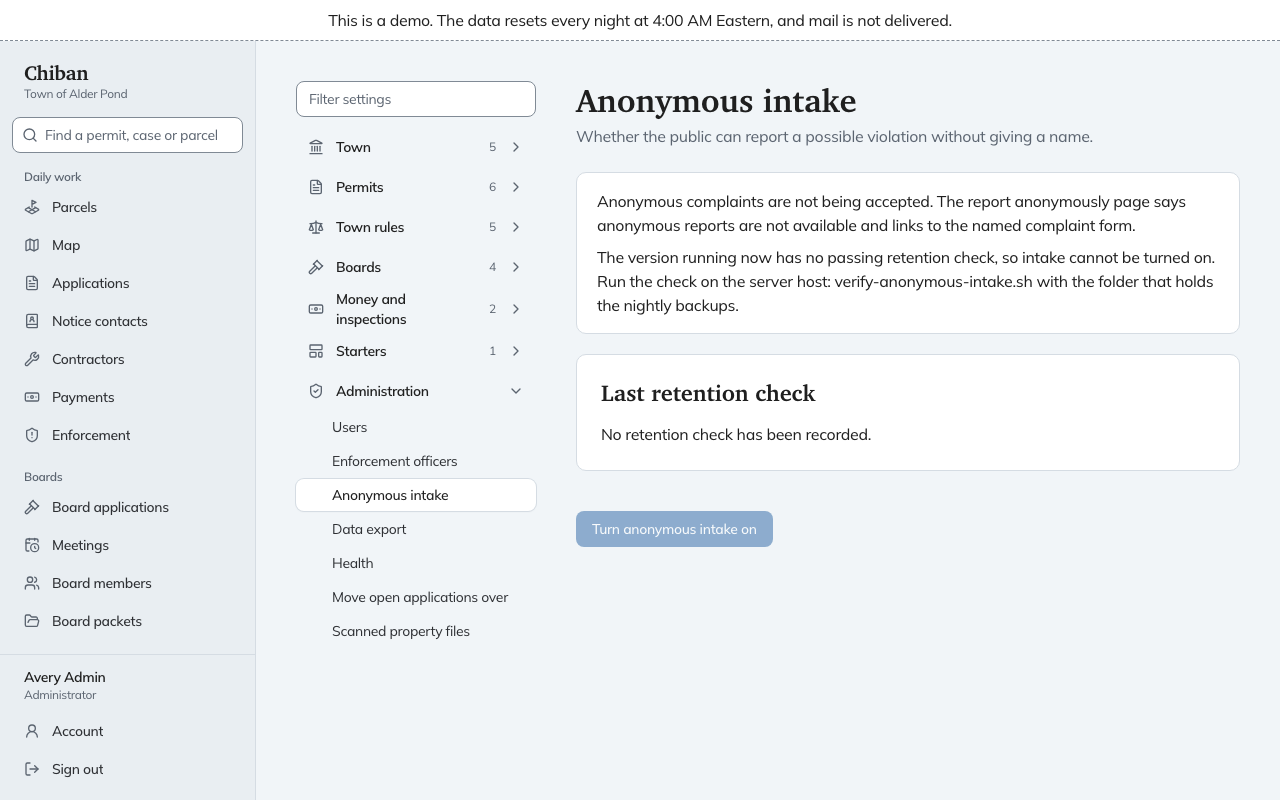
Chiban can accept a report of a possible violation without a name. Anonymous intake, in the Administration group under Settings, shows whether that is on and lets an administrator turn it on or off.
What residents see
When it is off, the report anonymously page says anonymous reports are not available and links to the named complaint form. When it is on, the page takes the report.
Why you cannot always turn it on
The switch only works after someone runs a check on the server host. The check sends a test complaint, then looks for the sender's address, browser name, file name, photo author and account in the database, the logs, the stored files and the newest nightly backup. The page shows the result.
- If the version running now has no passing check, the page says so, and Turn anonymous intake on is greyed out.
- Last retention check shows whether the last check passed or failed, when it ran, and the version checked. If it failed, it lists what was found and where, for example the sender address in a log.
The check belongs to the version of Chiban that is running. After the town installs a new version, anonymous intake stays closed until the check is run again and passes. Ask whoever runs the server to do it. They will find the steps under verifying anonymous intake.
Turning it on and off
Once the check has passed, an administrator can choose Turn anonymous intake on, and it takes effect at once. To stop, choose Turn anonymous intake off and confirm. That also takes effect at once.