Overrides
An override is a recorded exception: a fee waived, a deadline moved, a parcel number pointed at a different parcel. Each needs a reason, and each stays on the list. Overrides is in the staff menu for administrators and land use staff. It has three tabs, Parcel IDs, Clocks and Fees.
Each list is newest first, can be sorted by column, and has quick filters for status. The status column says what has become of the override:
- Applied: in force now.
- Superseded: replaced by a later override for the same thing.
- Expired: for a fee override, the application is closed. For a parcel ID override, its expiry date has passed.
- No match: the thing it pointed at no longer exists. For a fee, the fee schedule has no such fee. For a parcel ID override, the parcel has been retired. For a clock, a rule change replaced the clock, and a task is created to review it.
Fee overrides
Use a fee override when the town decides a fee should not be charged as computed: a town-sponsored project, or a permit already paid for in an earlier system. A waiver or a set amount replaces the computed fee at the next assessment. The computed amount stays on the fee table, so the difference is visible.
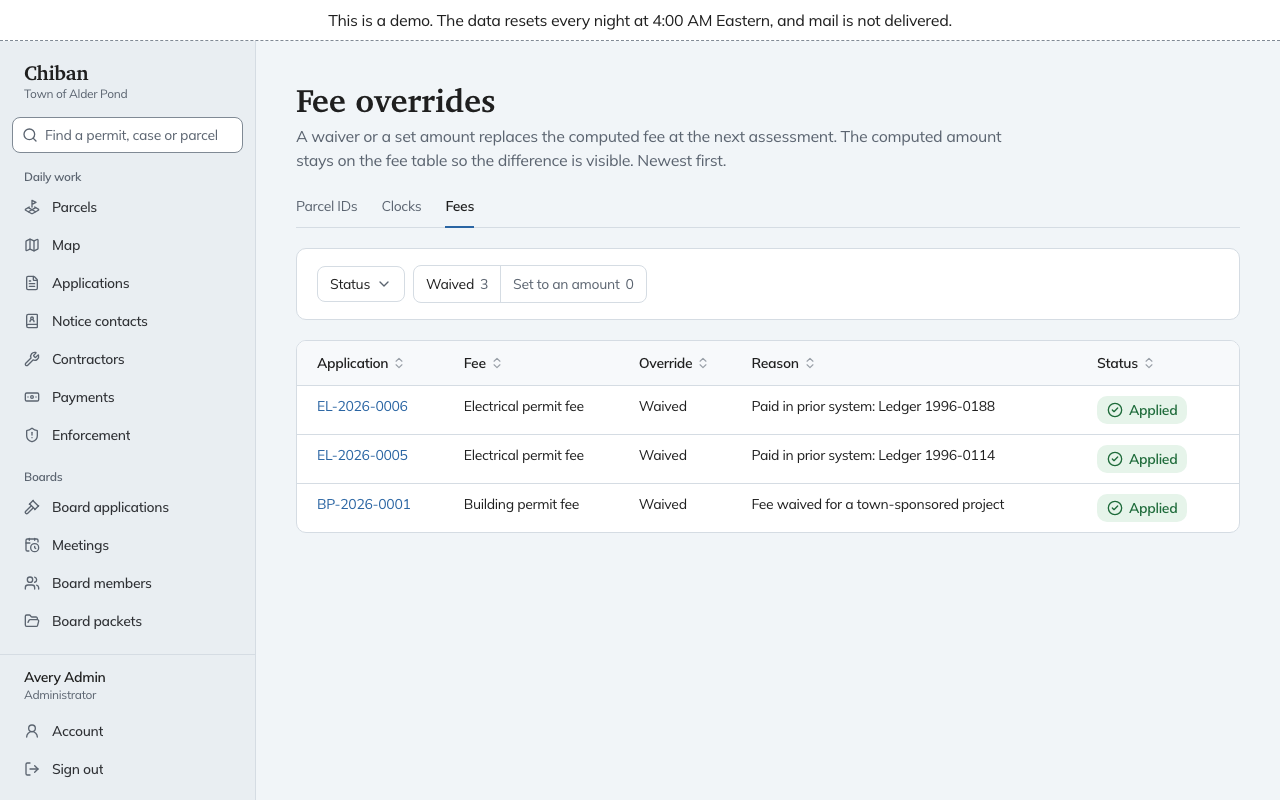
The Fees tab only lists them. You make one from the application itself: open the application, find Waive or set a fee, choose the Fee, choose Waive or Set an amount, enter an amount in dollars if you set one, and give a Reason. Administrators and land use staff can do this. In Alder Pond, two electrical permits are waived with the reason "Paid in prior system" and a ledger number.
An override applies to one application. To change what a kind of permit costs, edit the fee schedule. See forms, fee schedules and letters.
Clock adjustments
A clock is a deadline Chiban tracks on an application, such as the days a board has to decide. The Clocks tab lists every extension, waiver, statutory exception, tolling and renewal that moved a due date, with the rule, the new due date and the reason.
You make an adjustment on the application, under Adjust this clock. Which choices appear depends on the clock, because a rule allows only some adjustments. They can be an extension, a waiver, or a statutory exception that needs a legal authority citation and explanation. Enter the Days and a Reason. Where the rule needs it, tick that the applicant consents. Only administrators can record a statutory exception. Extensions and waivers can be recorded by administrators and land use staff.
Renewals, tolling during an appeal, and statutory minimums are recorded by Chiban itself and appear on the list.
Parcel ID overrides
An override points a town ID at a parcel. Use it when a number in a folder label or an old record does not match the parcel Chiban holds. Imports never overwrite an override. When an import conflicts with one, the conflict goes to the exception queue.
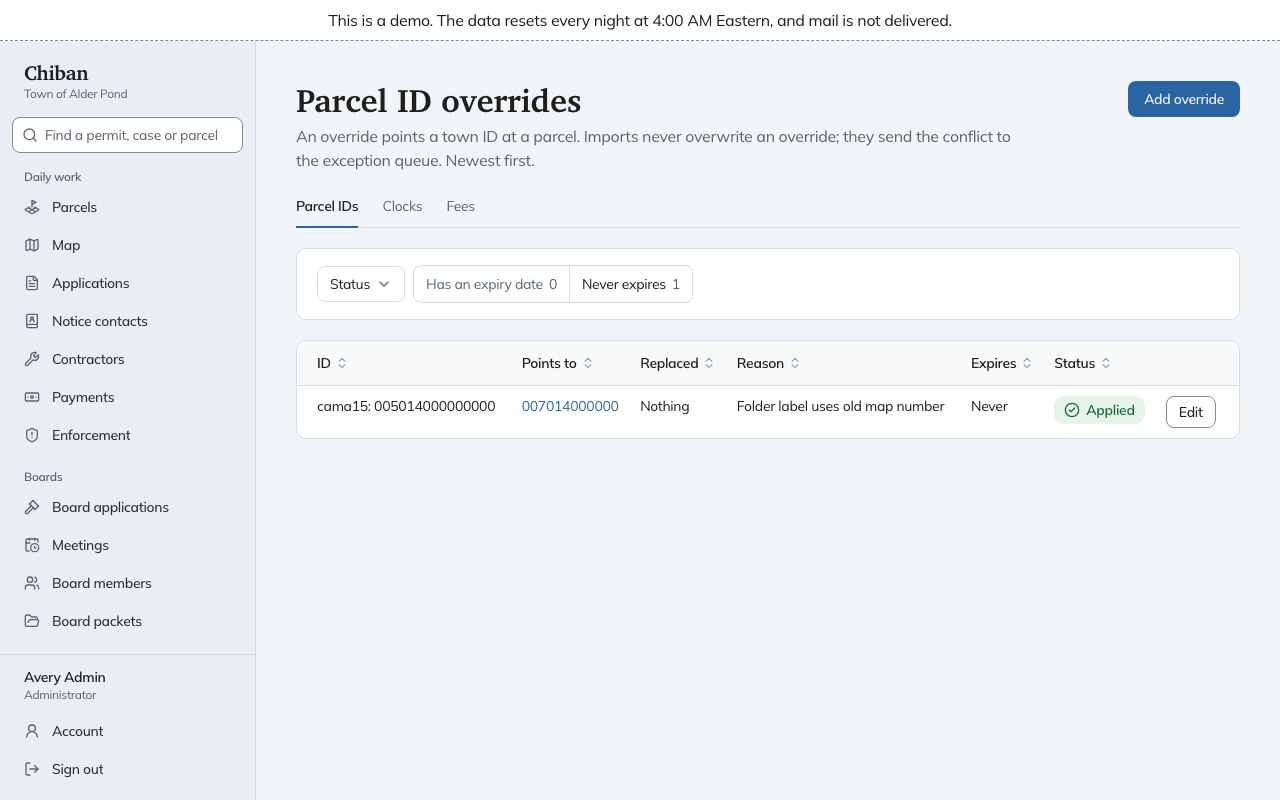
Parcel ID overrides are the only kind you add from the Overrides page itself.
- Choose Add override.
- Enter the Format key (the short name of the format, shown on parcel ID formats) and the ID value.
- Pick the parcel under Points to parcel. Any current or retired parcel works.
- Enter a Reason, and optionally an Expires on date.
Edit on a row saves a new override for that ID, and the old one stays listed as superseded. Leave Points to parcel blank to keep the parcel it points to now. In Alder Pond one override sends a CAMA number to a map-lot parcel, with the reason "Folder label uses old map number".