Boards, notices and review committees
The Boards group under Settings has four pages: Boards, Board settings, Regional notice contacts and Review committee routes. Together they say which boards the town runs, how each gives public notice, who is told about projects that reach beyond the town, and which departments are asked to comment before a meeting.
Boards
Open Settings, then Boards. The list shows each board's kind, how many members are seated, its next meeting and whether it is active.
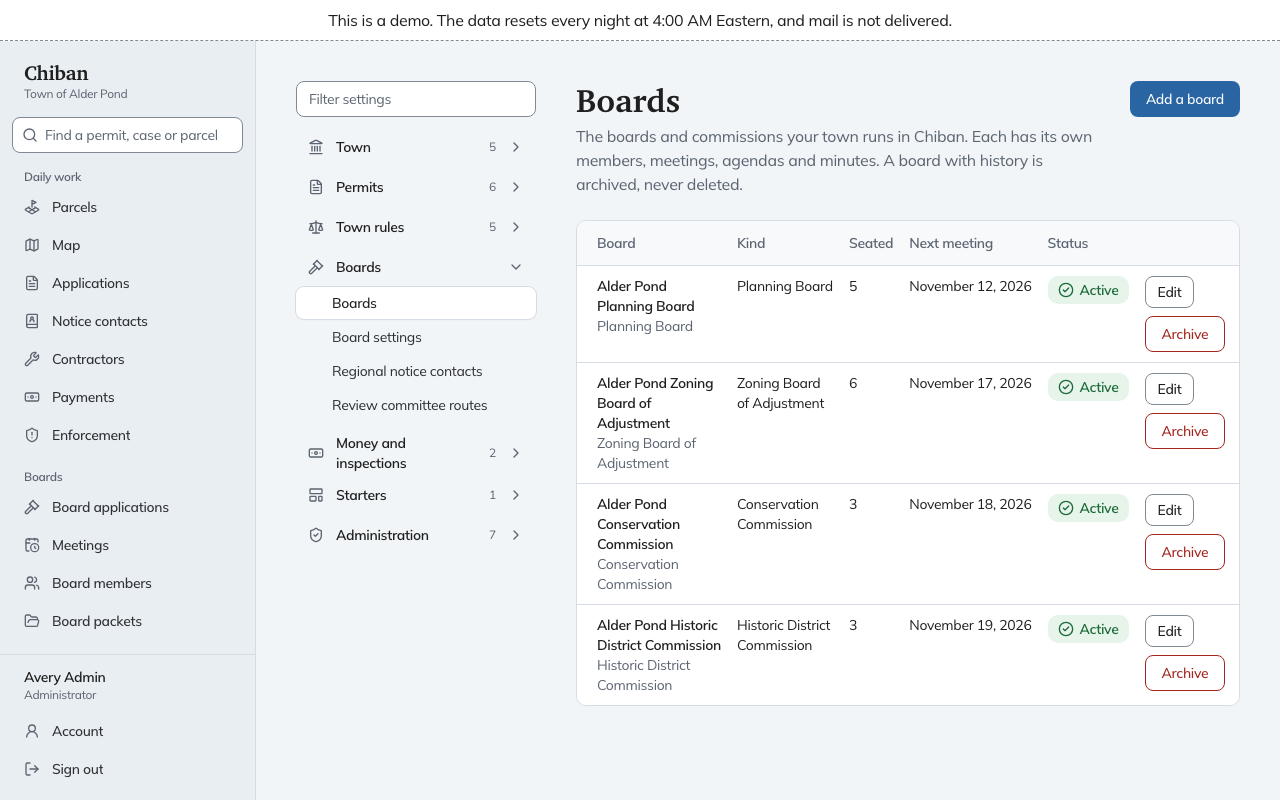
Add a board asks for a Name (as it appears on notices and minutes), a Short name for tight spaces such as the meeting list, and a Kind of board. The kinds are Planning Board, Zoning Board of Adjustment, Historic District Commission, Building Code Board of Appeals, Conservation Commission, Heritage Commission, Agricultural Commission, Housing Commission, and Other board or committee. A town can have only one active Planning Board and one active Zoning Board of Adjustment. If one already exists, that choice is greyed out and says so. A board's kind cannot change afterward. To change it, add a new board and archive the old one.
Edit renames a board. Past meetings, minutes and decisions show the new name too. Archive removes a board from every list and picker, and keeps its meetings, minutes, decisions and packets under the name it had. A board with history is archived, never deleted.
Members, meetings and agendas are managed on the board pages in the staff menu, not here.
Board settings
Board settings holds one block for each board.
- Newspaper of record and Website for notices: where legal notices are published.
- Notice by posting and Notice by publication: tick the ways the board gives notice.
- Places where notices are posted: each place a paper notice goes up, for example the Town Hall lobby. Use Add a place.
- Filing deadline, days before the meeting appears for the Planning Board. Leave it empty to use the 21 days state law sets. State law lets the town set 21 or fewer.
At the foot, Abutters across a street or stream controls whether Chiban also finds owners directly across a road or water from the parcel when it draws an abutter list. Tick Include owners directly across a street or stream, then record who checked the road and water maps (Road and water maps checked by) and when (Maps checked on). Usual road width, in feet is used where the map does not show a road's width. The page says 50 is common.
Regional notice contacts
When a board finds that an application may affect places beyond the town, Chiban writes notice to each contact on this page: the regional planning commission, the NH Department of Environmental Services and any neighboring towns. Leave a contact empty if the town does not send to it. Use Add a neighboring town to list more.
Review committee routes
The Technical Review Committee asks departments to review applications. This page decides who is asked, and for which kinds of application.
- Under Departments, give each department a name and tick the reviewers who answer for it. The first ticked reviewer whose account is active gets each request. Only people with the Reviewer role are listed. If the list is empty, invite reviewers under Users first. See inviting staff.
- Under Which departments review each type, add a route for an application type, choose the departments asked, and set Comments due, days before the meeting. Reviewers are asked to comment that many days before the board meets.
In Alder Pond the committee departments are Fire, Public Works and Police.
When a ticked reviewer leaves, disabling their account sends the request to the next ticked person. See changing roles, disabling accounts and resetting sign-in.
Saving
Board settings, regional contacts and review committee routes use drafts and Put into use. Adding, renaming and archiving a board take effect at once. See how changes are saved and put into use.