The Health page
Health, in the Administration group under Settings, shows whether the work Chiban does in the background is running: sending emails, checking deadlines, reconciling payments, preparing exports. When an administrator signs in, the home page also shows a count of health checks needing attention, with an Open Health link.
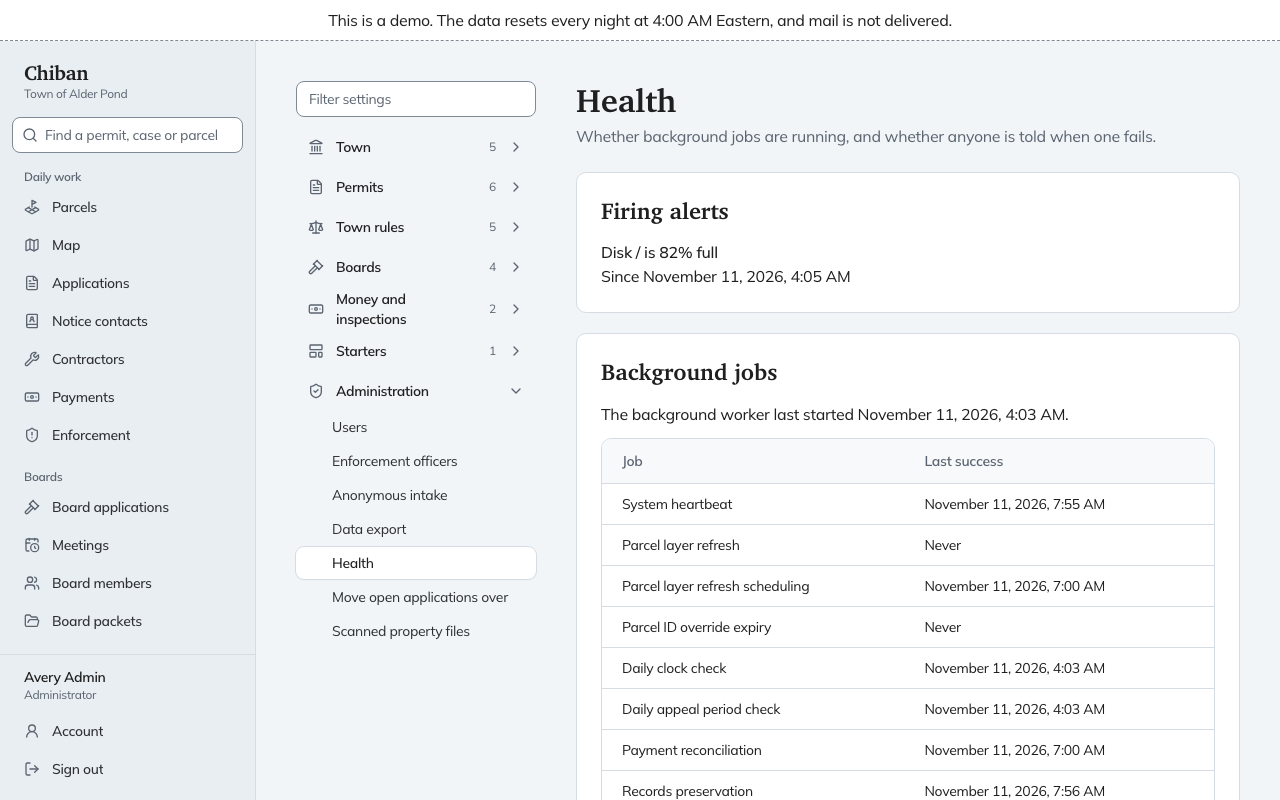
Firing alerts
This section lists problems Chiban has found on its own, each with when it started. In the demo it shows that the server disk is 81% full. If nothing is wrong, it says "No alerts are firing." An alert here usually needs the person who runs the server, not a change in Settings.
Background jobs
The page says when the background worker last started. If it says no worker has started, nothing on the page runs: emails stay queued and exports stay waiting to start. Call whoever runs the server.
Under it is a list of jobs and the time each last succeeded. These include the system heartbeat, the daily clock check, the daily appeal period check, payment reconciliation, notification sending, calendar updates, exports and scheduled reports. A job that has not run yet, such as an export nobody requested, shows "Never".
A job that needs attention is moved to the top under Needs attention, with one of two reasons: Overdue (it has missed several runs) or Last run failed. Each shows when it last succeeded and last failed.
Alert channels
This section says how alerts reach people, by email or by pager, and whether the channel has been tested: "Acknowledged within the last 30 days", "Test sent, not acknowledged" or "Never tested". If none is set up, it says "No alert channel is configured, so nobody is told when a job fails." The channel is set on the server. See the configuration reference and ask whoever runs the server.
What to do
Open this page when a resident says they never got an email, when a payment looks stuck, or after the server has been updated. Send anything under Needs attention, and any firing alert, to whoever runs the server, with the job name and the time shown.