Inviting staff
Use this page when someone new starts in the office, or when a town is setting up and everyone needs an account. You need the administrator role.
Send the invite
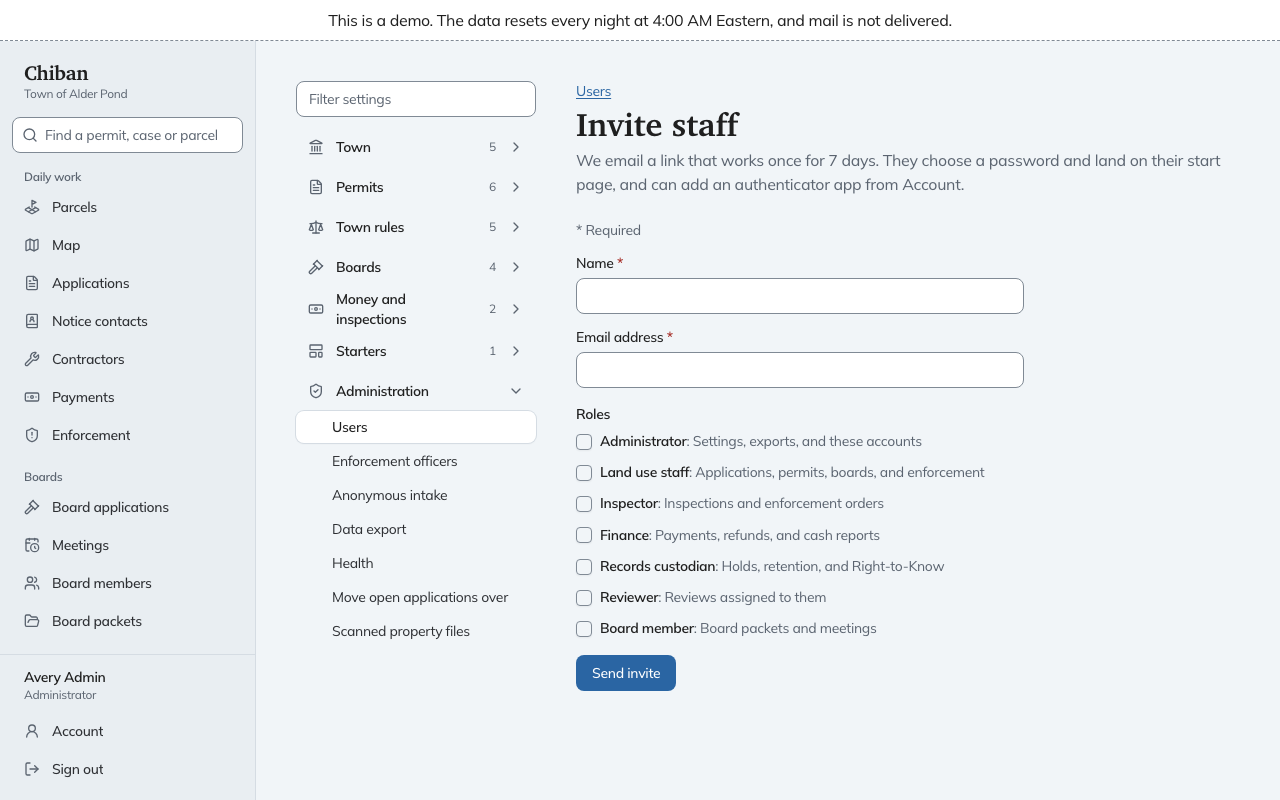
- Open Settings, then Users, and choose Invite staff.
- Enter the person's Name and Email address.
- Tick one or more Roles.
- Choose Send invite.
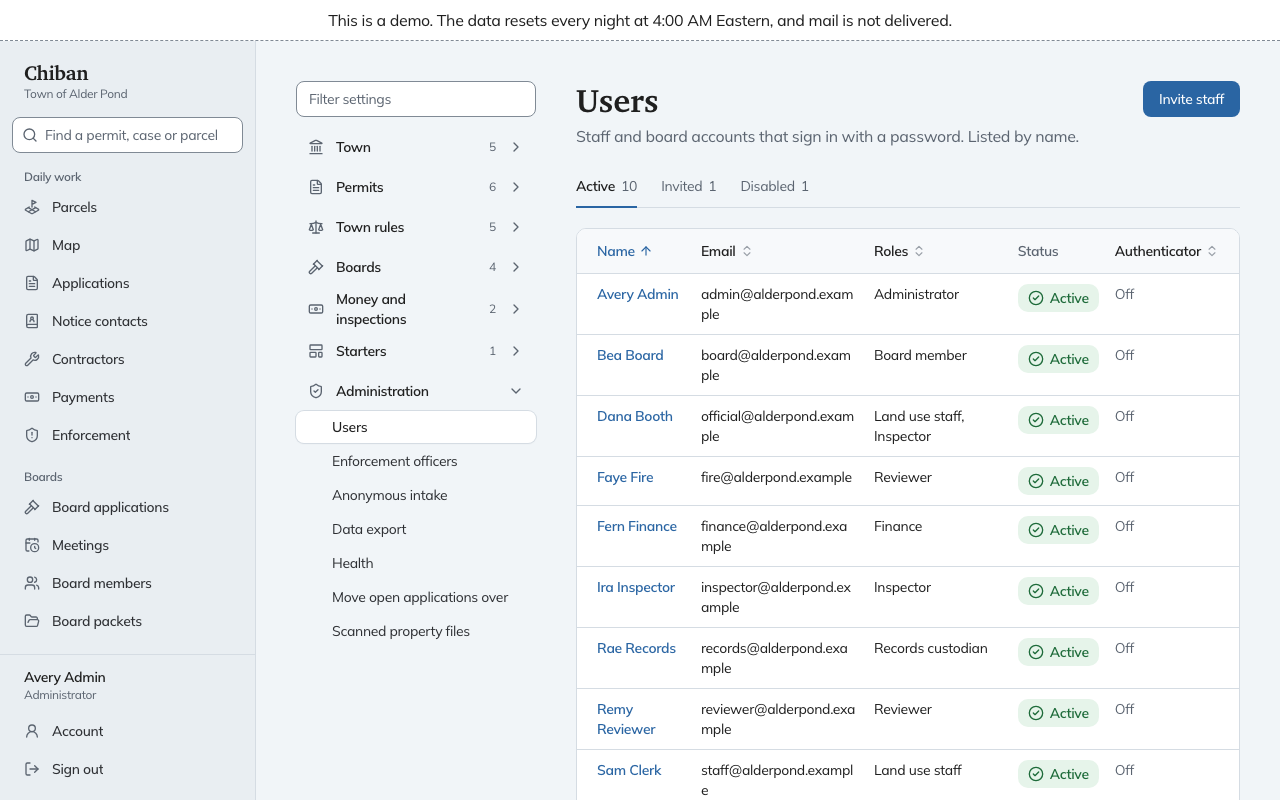
Each role has a one-line description on the form. Administrator covers settings, exports and these accounts. Land use staff covers applications, permits, boards and enforcement. Inspector covers inspections and enforcement orders. Finance covers payments, refunds and cash reports. Records custodian covers holds, retention and Right-to-Know. Reviewer covers reviews assigned to them, and Board member covers board packets and meetings. How the staff roles fit together says more about each, and the roles and permissions reference lists every permission. One person can hold several roles: in Alder Pond, Dana Booth holds both Land use staff and Inspector.
Chiban refuses an email address that already has an account, and refuses an invite with no role ticked.
What the new person sees
They get an email with the subject "Set up your staff account". It names the roles you gave them and has a link that works once and expires in 7 days. The link opens a page where they choose a password of at least 12 characters and type it twice. When they save it they are signed in and land on their start page. The email also tells them they can add an authenticator app later from Account.
If the link has expired or has already been used, the page says so and tells them to ask an administrator for a new one.
Follow up on an invite that has not been used
The Users page has three tabs: Active, Invited and Disabled, each with a count. The home page for administrators also counts invitations not yet accepted.
Open a person under Invited to see when their link stops working.
- Resend invite sends a new link and cancels the old one. Use it when the email was lost or the link expired.
- Revoke invite stops the link and disables the account. Use it when the invite went to the wrong person.
If Chiban could not send the email, the page tells you so and you can send it again with Resend invite. Outgoing mail is set up on the server, not in Settings. See the configuration reference for the mail settings.
After you invite
- Roles can be changed later on the person's page. See changing roles, disabling accounts and resetting sign-in.
- Reviewers appear in a list when you set up review committee routes, and inspectors appear in the inspection schedule. Invite them first so they can be chosen. See boards, notices and review committees and the inspection schedule.
- The demo does not let you invite anyone, because it would change the demo for every visitor. The page and its buttons are there to look at.