Card payments
Card payments is under Settings, in Money and inspections. It has two parts: the processor account that takes the card, and the convenience fee and receipt wording that apply to every payment. Only administrators can open it.
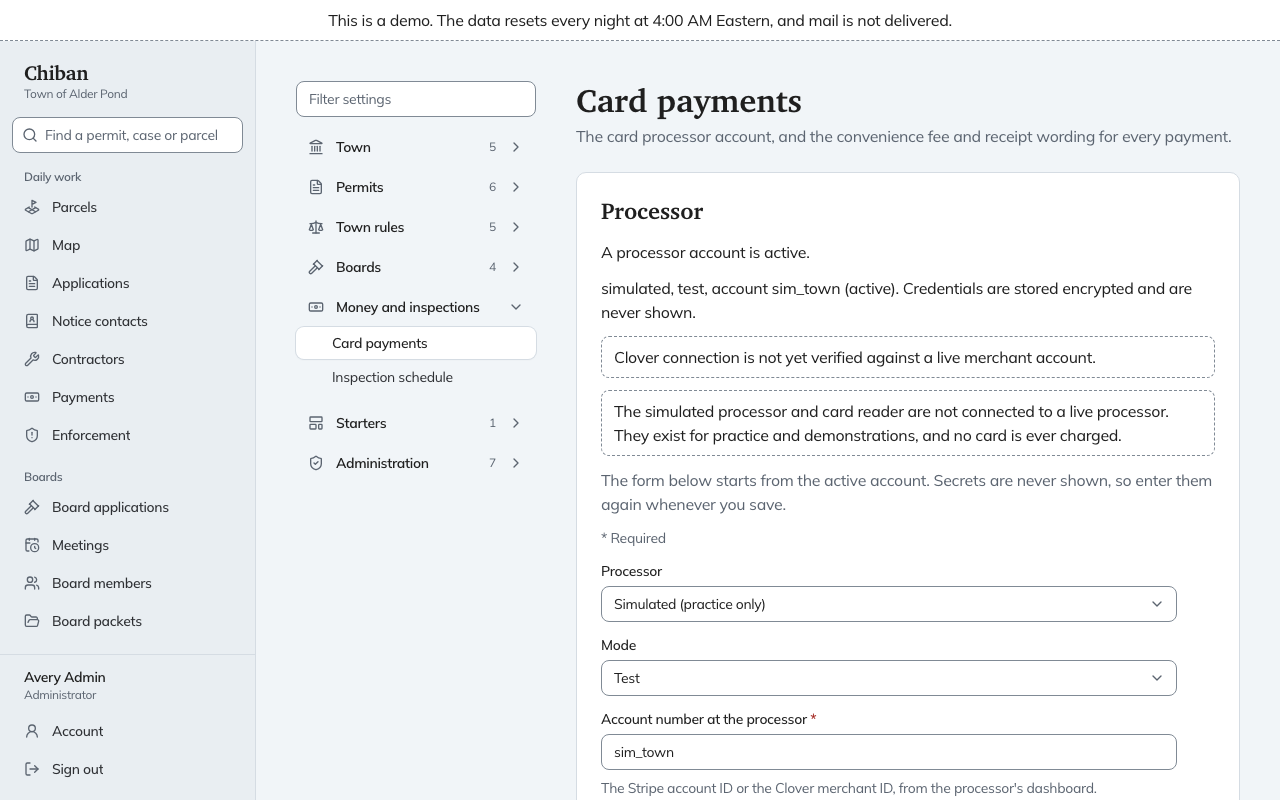
The processor account
The top of the page tells you whether a processor account is active, and lists the saved accounts with their processor, mode and account number. Credentials are stored encrypted and are never shown.
To save an account, fill in:
- Processor: Stripe, Clover or Simulated (practice only).
- Mode: Test or Live.
- Account number at the processor: the Stripe account ID or the Clover merchant ID, from the processor's dashboard.
- Secret key: Stripe calls it the secret key, Clover the private token.
- Webhook signing secret: lets Chiban check that payment updates really come from the processor.
- Under Advanced, for Clover only, the API and checkout addresses, and the Card reader device ID printed on the counter reader or shown in the processor's dashboard.
Choose Save processor account. Secrets are never shown again, so enter them again whenever you save, even to change only the account number.
The page carries two notices. The simulated processor and card reader are not connected to a live processor, and no card is ever charged. The Clover connection has not been checked against a live merchant account.
This page does not show the address the processor should send payment updates to. Ask whoever runs the server about it before you finish setting up the account in the processor's own dashboard.
The convenience fee and receipts
Below the account is a form with its own Save draft and Put into use buttons. See how changes are saved and put into use.
- Convenience fee passed to the payer: a Percent of the payment plus a set amount. Enter 0 for either to leave it out. The page works out an example from your settings, such as how much more the payer pays on a $100.00 payment.
- Charge it on: Online card payments, Card payments at the counter, or both.
- Checks payable to: printed on invoices and receipts, for example Town of Alder Pond.
- Receipt footer: a line printed at the bottom of every receipt.
The convenience fee is passed to the payer on card payments only. It shows on its own line and is not town fee revenue. Cash and check payments carry no convenience fee.
In the demo
The demo uses the simulated processor, and its checkout page says no live processor is connected. It does not allow changes to payment settings.