Town profile, letterhead and signers
Three pages in the Town group under Settings decide how the town's paperwork looks. Set them before you adopt starters, so every letter you preview already carries the right name. Each one is saved as a draft and put into use. See how changes are saved and put into use.
Town profile
Town profile holds the office name, mailing address, contact details and logo, printed on every document Chiban makes.
- Office name is printed under the town name, for example Land Use Office. It is required.
- Mailing address takes up to three lines.
- Contact details: phone, email, website and office hours.
- Town logo or seal: a PNG or JPEG up to 2 MB. It is printed at the top of every document.
Letterhead
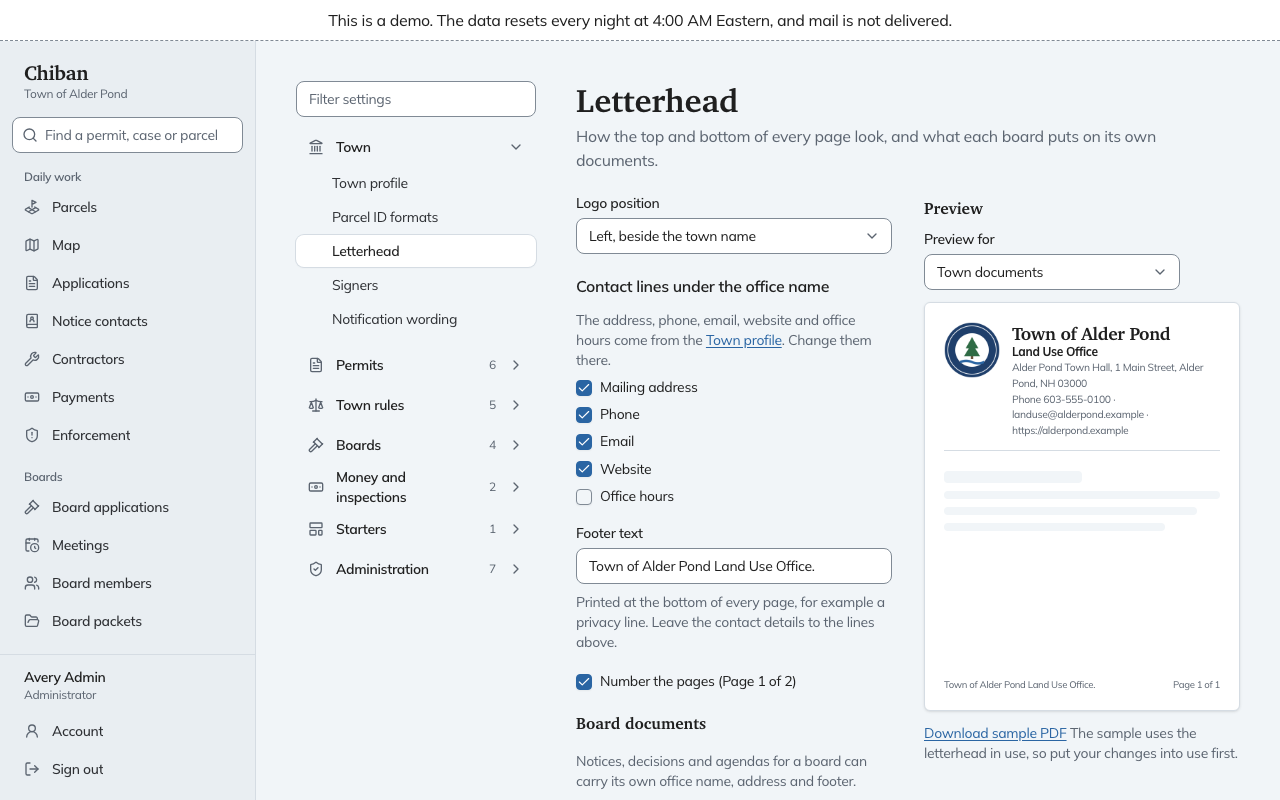
Letterhead controls how the top and bottom of each page look. The contact lines come from the town profile, so change them there, not here.
- Logo position: left, beside the town name, or centered above it.
- Contact lines under the office name: tick which of the mailing address, phone, email, website and office hours to print.
- Footer text: a line printed at the bottom of every page, such as a privacy line.
- Number the pages: prints "Page 1 of 2".
- Board documents: notices, decisions and agendas for a board can carry their own office name, address (up to three lines) and footer. Leave a field empty to use the town's.
The Preview at the bottom shows the page as Town documents or as any one board. Download sample PDF makes a sample from the letterhead in use, so put your changes into use first if you want to see them.
Signers
Signers lists who signs permits, certificates, orders and letters. Each signer has a role they sign as, a name, the title as printed, and an optional signature image.
The roles are Building official, Land use administrator, Planning Board chair, Zoning Board of Adjustment chair, Code enforcement officer and Town clerk. Each role can be used once. Letters refer to a signer by role, so changing the name under "Building official" changes it on every permit printed from then on. Use Add a signer for a role not yet listed and Remove signer to take one out.
A signature is optional: a PNG or JPEG up to 2 MB, on a white or clear background.
A signer does not need a Chiban account, since the names here are plain text. When the Planning Board chair changes, edit the name and put it into use.
In the demo
The demo does not allow edits to the town profile.