Where to find each setting
Only administrators see Settings in the staff menu. It opens on a menu of seven groups, and each group opens to its pages. The Filter settings box at the top narrows the menu as you type, so you can type "fees" or "notice" instead of opening each group.
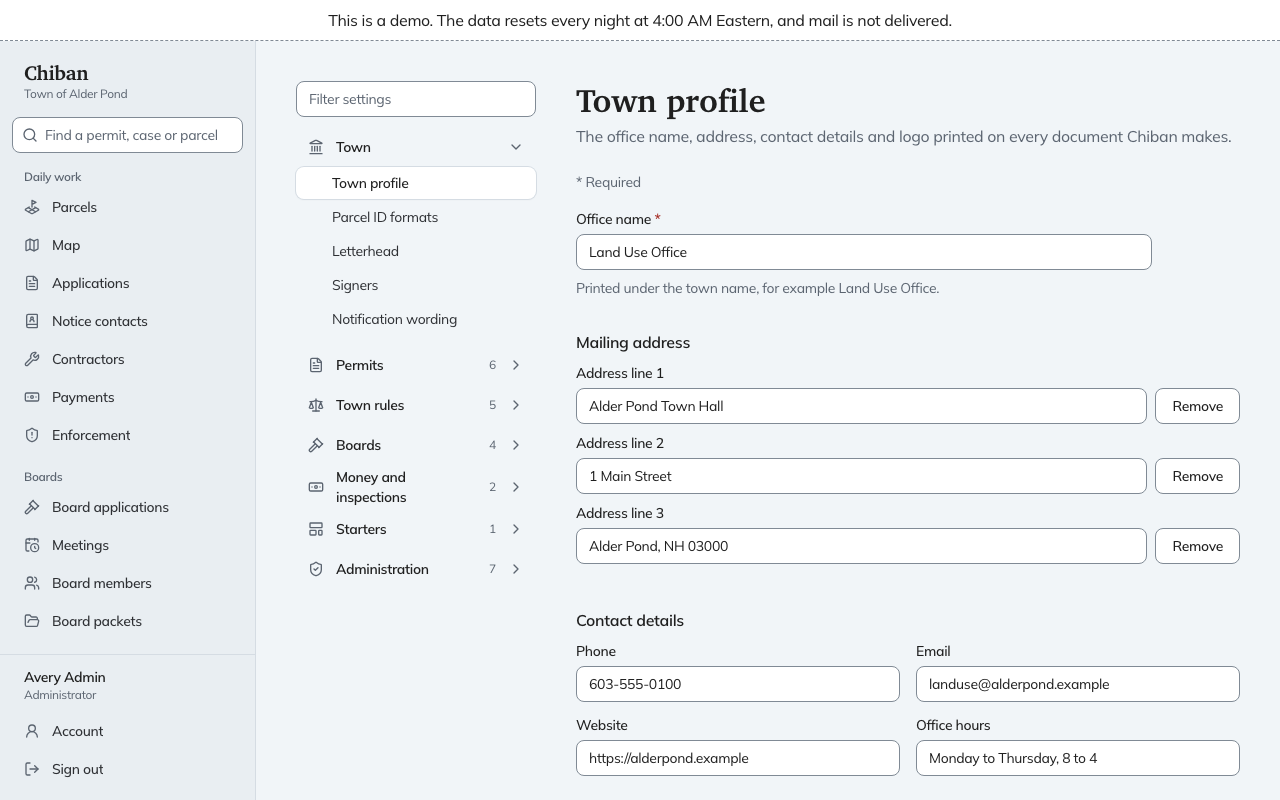
Most pages in Permits, Town rules, Boards and Money and inspections, and the town pages, work the same way: you edit a draft, save it, and put it into use when it is ready. See how changes are saved and put into use.
The groups
| Group | Pages | What they decide | Guide |
|---|---|---|---|
| Town | Town profile, Parcel ID formats, Letterhead, Signers, Notification wording | How the town's name, address and signers look on every document, and what emails say | Town profile, letterhead and signers, Wording of emails, Parcel ID formats |
| Permits | Application types, Forms, Fee schedules, Templates, Conditions, Inspection checklists | What the town accepts, what applicants are asked, what it costs, what letters print | Application types and workflow, Forms, fee schedules and letters |
| Town rules | Town rule settings, Local code amendments, State law, Building code editions, Sections for findings | The values state law leaves to the town, local changes to the building code, and the sections staff cite in enforcement | State law, town rules and local code |
| Boards | Boards, Board settings, Regional notice contacts, Review committee routes | Which boards exist, how they give public notice, who gets regional notices, who reviews what | Boards, notices and review committees |
| Money and inspections | Card payments, Inspection schedule | The payment processor, the convenience fee and receipts, and when inspections can be booked | Card payments, The inspection schedule |
| Starters | Starter templates | Ready-made permits and board applications, and updates to the ones adopted | Adopting starters and taking updates |
| Administration | Users, Enforcement officers, Anonymous intake, Data export, Health, Move open applications over, Scanned property files | Staff accounts, who may issue orders, whether the public can report anonymously, and the state of the system | Inviting staff, Enforcement officers, Anonymous complaints, The Health page |
The Workflow and Report columns pages do not appear in the menu. You reach them from an application type. See application types and workflow.
Three Administration pages belong to other guides. Data export is covered by the export archive format and monthly export to storage the town controls. Move open applications over and Scanned property files bring records in from an old system. See loading an old permit ledger.
Overrides are not in Settings
Overrides is in the staff menu for administrators and land use staff. It holds fee waivers, clock adjustments and parcel ID overrides. See overrides.
If a page says you lack permission
The settings pages check that you can edit the town's configuration. Someone with the Land use staff role sees "Settings: none" in the menu. The roles and permissions reference lists the pages each role sees.