State law, town rules and local code
The Town rules group under Settings has five pages. Between them they show which rules come from state law, which values the town may choose, and which local changes the town has adopted.
State law
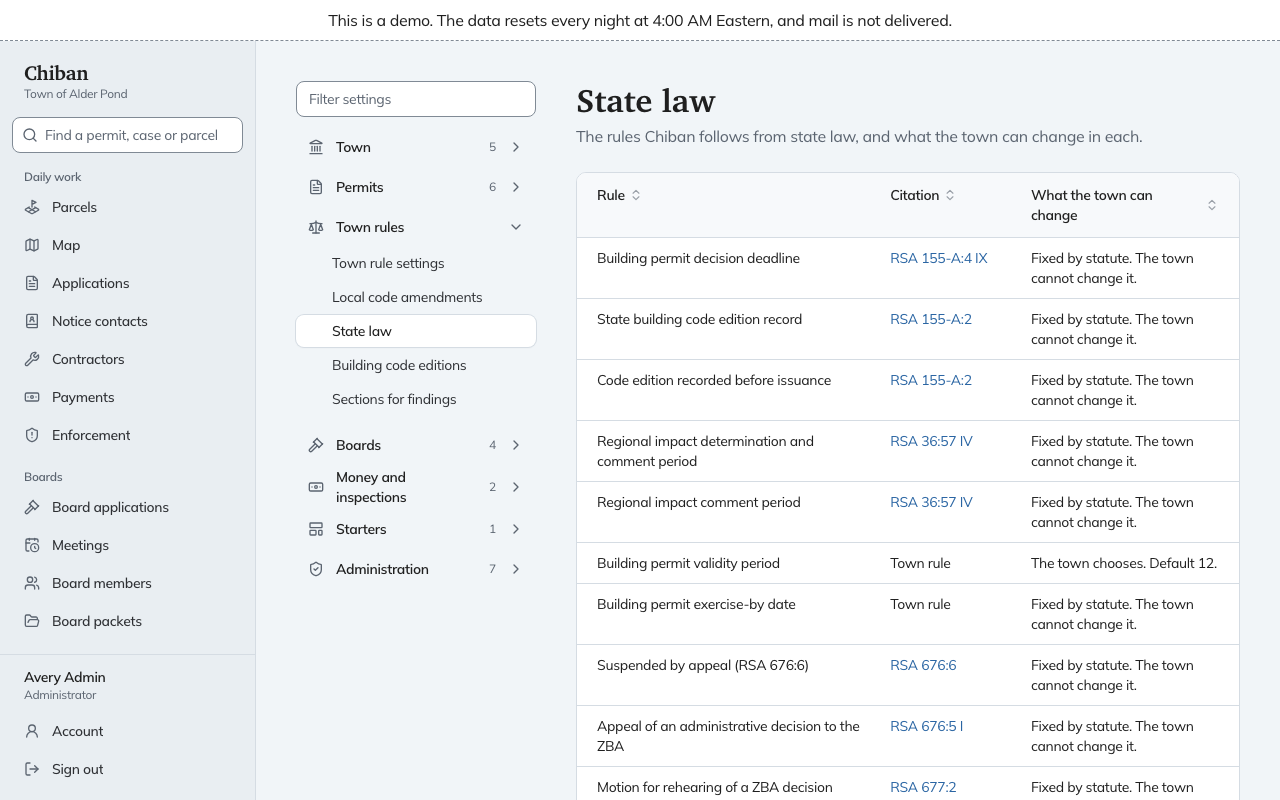
State law lists every rule Chiban follows from state law, with its citation, and in the last column what the town can change. You cannot edit anything on it.
The last column says one of three things:
- "Fixed by statute. The town cannot change it."
- "The town chooses", with the default, for example a building permit validity period with a default of 12 months.
- "The town may set a value of" some number or more, or some number or less. For example, the Planning Board filing deadline may be set at 21 days or fewer.
Below the rules, Required rules by classification shows how many rules apply to each kind of proceeding. The last line gives the version of the state pack the town is running.
For the deadlines these rules produce, see deadlines and holidays.
Town rule settings
Where state law lets the town choose a value, record the town's own on Town rule settings. Until you do, Chiban uses the value state law gives. Until the town sets one, the page reads "No town rules are set".
- Choose Set a town rule and pick the rule. Only rules the town is allowed to set are listed.
- Enter The town's value, in the unit shown.
- Record the Adoption record: Adopted by, for example Town Meeting, and Adopted on.
- Put it into use. See how changes are saved and put into use.
If a value is outside what state law allows, the draft cannot be put into use.
Local code amendments
Local code amendments records changes the town has adopted to the state building code. Each has a Title, the Code section it changes, Adopted by, Adopted on, an optional Confirmed by the building code review board on date (leave it empty until the state board confirms), the State code text and the Town's amended text. The page shows What changed, word by word between the two texts. Alder Pond has four, including Footing frost depth and Roof snow load.
Building code editions
Building code editions shows which edition of the state building code applies to a permit, by the date the application was received. It comes with the state pack, and you cannot edit it. A period marked Not verified means Chiban does not know which codes applied then, and applications received in that period record the edition as not verified.
Sections for findings
Sections for findings is the list of ordinance and code sections staff cite when they record an enforcement finding. Enforcement staff see these suggestions by kind of rule, along with sections used before and the state building code list. A section not on any list can still be typed.
Add a section asks for the Kind of rule, the Section as it should read in a finding, for example Zoning Ordinance Section 4.2, and a Short title staff search by. Edit changes one and Retire takes it off the suggestions. Changes here take effect at once.